Comparisons
How to Set Up a Functional, Good-Looking Home Office
7 min read
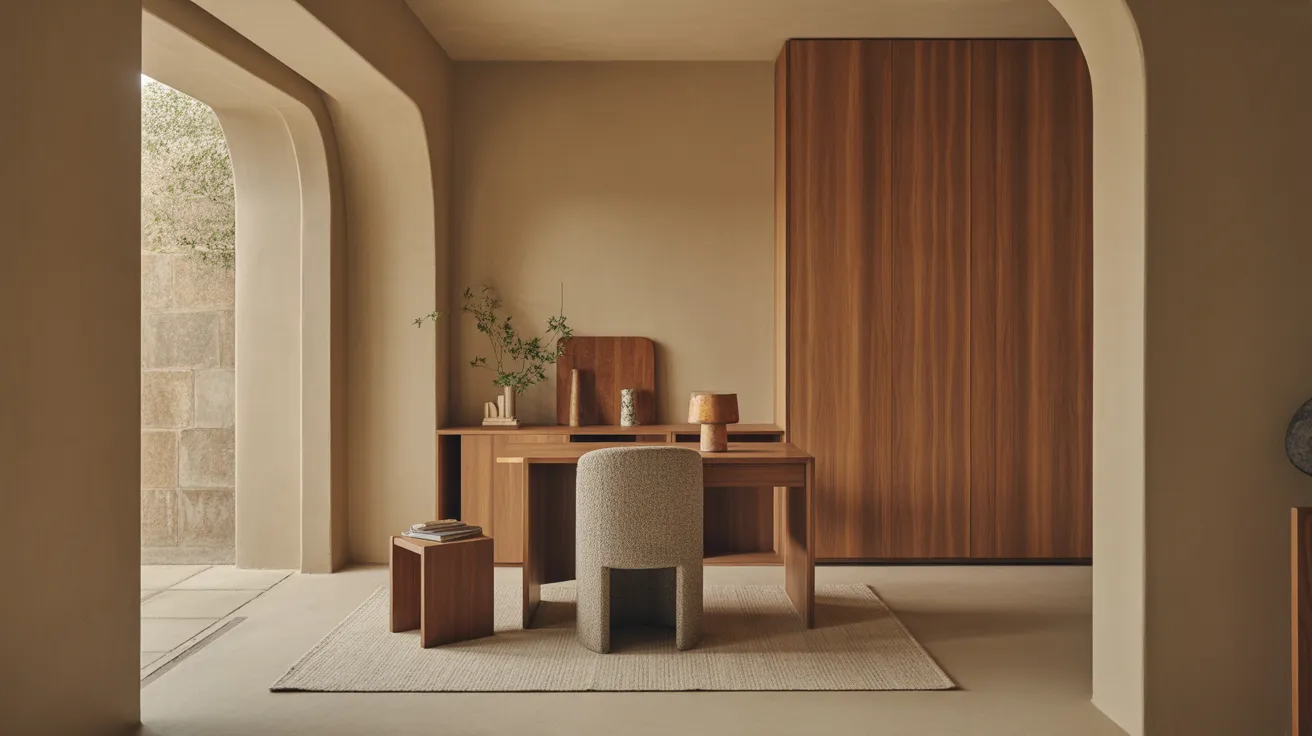
Set up a home office that works and looks good on video. Ergonomic desk and chair numbers, lighting for calls, cable control, and a small-space layout.
A home office has to do two things a corporate cubicle never did: support you for eight hours and look good behind you on a video call. The good news is the same setup serves both. Get the ergonomics right — desk height, chair, monitor, lighting — and the space works for your body. Layer in a little intention — a clean backdrop, warm light, one or two real objects — and it works on camera too. Here's the method, with the numbers that make it comfortable and the choices that make it look like a room you'd want to sit in.
Start with the body: ergonomics first
Everything else is decoration if the basics hurt your back. Three things carry the ergonomic load: desk height, chair, and monitor position. Dial these in before you think about styling.
Desk and chair height
Aim for a neutral posture: feet flat, knees at roughly 90 degrees, forearms parallel to the floor when typing, elbows close to your sides. For most adults that means a desk surface around 28 to 30 inches and a seat height set so your forearms meet the desk. If a fixed desk runs a touch high, raise the chair and add a footrest rather than typing with shrugged shoulders.
The chair is the single most important purchase in the room — it's the one piece in constant contact with your body. Adjustable height, lumbar support, and a seat depth that fits your legs matter far more than the look. Our office chair guide covers what to test and what to skip when you can't sit in it first.
Monitor and keyboard
The top of your screen should sit at or just below eye level, about an arm's length away (20 to 30 inches), so you look slightly down at the center and don't crane your neck. A laptop alone forces a choice between good screen height and good keyboard position — a laptop stand plus an external keyboard and mouse solves it, and it's the cheapest ergonomic upgrade most people can make.
The ergonomic numbers, at a glance
Adjust these to your body, but start here.
| Element | Target | Why |
|---|---|---|
| Desk surface height | 28–30" (seated) | Forearms parallel to the floor when typing |
| Standing-desk height | Elbow height, standing (~38–44") | Neutral wrists while standing |
| Seat height | Feet flat, knees ~90° | Even leg support, no dangling feet |
| Monitor top edge | At or just below eye level | Neck stays neutral, no craning |
| Monitor distance | ~20–30" (about an arm's length) | Comfortable focus, full screen in view |
| Forearm angle | Parallel to floor, elbows ~90° | Reduces wrist and shoulder strain |
| Desk depth | At least 24"; 30" if you use a monitor | Room for the screen at arm's length plus keyboard |
| Clearance behind chair | 30–36" to roll back | You can get in and out comfortably |
The monitor-height rule is the one people most often get wrong and feel most after. A laptop on a flat desk sits far too low; you spend the day looking down, and your neck pays for it by mid-afternoon. Raise the screen to eye level and the difference is immediate.
Make it look good — including on camera
Once it's comfortable, a few low-cost moves make the space look intentional and read well on video calls.
- Control the cables. Nothing makes a desk look chaotic faster than a tangle of cords. Run them along the back edge with clips, gather them in a sleeve, and tuck a power strip out of sight. Highest-impact, lowest-cost upgrade there is.
- Curate the backdrop. Whatever's behind you on calls is your set. A simply styled bookshelf, a piece of art, a plant, or a clean wall all work. Avoid both clutter and a flat blank wall — one or two real objects with depth read better than nothing or everything.
- Light your face, not just the room. A window in front of you (not behind) gives flattering daylight. After dark, a desk lamp or a soft light at face level beats a ceiling light, which casts shadows downward. Warm-to-neutral light (around 3000–4000K) looks natural on camera.
- Add one or two warm, real objects. A plant, a wood tray, something with texture and life so the space reads as a room, not a workstation.
- Keep the surface mostly clear. Daily-use items within reach, everything else in a drawer or on a shelf. A clear desk works better and looks better.
Lay it out
In a dedicated room, the classic setup is the desk facing into the room or angled toward a window, with the door in your peripheral vision — sitting with your back to a door tends to feel unsettling over a long day. Leave 30 to 36 inches behind the chair to roll back, and put storage within a swivel's reach so you're not getting up constantly.
For a shared or open room, define the zone. A desk against a wall with a shelf above, a small rug under the chair, and a lamp creates a "work corner" that reads as separate — and can be visually closed off at day's end. A compact desk keeps the footprint small.
The small-space home office
No spare room is the norm, not the exception. A few approaches that work:
- A compact desk against a wall with vertical storage above — go up the wall instead of out into the floor.
- A fold-down or wall-mounted desk that closes when work is done, reclaiming the space for living.
- A desk that doubles — a slim console or a small table that serves as a desk by day and a surface by night.
- A defined corner with a small rug and a lamp, so the work zone reads as intentional rather than borrowed.
Whatever the footprint, protect the three ergonomic basics — desk height, a real chair, monitor at eye level. A small office can be fully comfortable; a cramped, badly set-up one can't.
A quick worked example
Picture a 5x6-foot corner. A 48-inch desk against the wall at 29 inches high, a laptop on a stand with the screen at eye level plus an external keyboard, an adjustable chair set so forearms meet the desk and feet rest flat. A shelf above holds a few books and a plant — also the video backdrop. Cables run along the back edge into a sleeve and down to a hidden power strip. A desk lamp at face level for evenings, a window to the left for daytime, a small rug to mark the zone. Comfortable for a full day and clean behind you on every call.
Desks, chairs, shelving, and storage all live in the office category. Browse home office furniture and start with the chair and the desk height — comfort first, camera second.
Shop this guide
- 47" Black and Silver Writing Desk
- White Faux Leather Adjustable Height Swivel Rolling Office Chair
- 27" Nickel Metal Desk Table Lamp With Nickel Cone Shade
The short version
- Ergonomics first: desk ~28–30 inches seated, forearms parallel to the floor, monitor top at eye level, an arm's length away.
- The chair is the most important piece — adjustable, supportive, fitted to your legs.
- Control cables, curate the backdrop, light your face, and keep the surface mostly clear so it works on camera.
- Define the zone in shared rooms with a desk-against-wall, a small rug, and vertical storage.
- Small spaces work fine — compact or fold-down desks, vertical storage — as long as the three ergonomic basics hold.
Building a setup that works for your body and your calls? Shop Office for desks, ergonomic chairs, and storage that keep the space functional and looking like a room.
Frequently asked questions
How do you set up a home office in a small space?
Use a compact or wall-mounted desk against a wall with vertical storage above, a real adjustable chair, and a defined corner marked by a small rug and a lamp. Protect the ergonomic basics — desk around 29 inches, monitor at eye level — even when the footprint is tiny.
What is the correct desk and monitor height?
A seated desk surface around 28 to 30 inches, with your forearms parallel to the floor when typing. The top of the monitor should sit at or just below eye level, about an arm's length (20 to 30 inches) away.
How do I make my home office look good on video calls?
Curate the backdrop with a styled shelf, art, or a plant — avoid both clutter and a blank wall. Light your face with a window in front of you or a face-level lamp, around 3000–4000K. Hide the cables and keep the surface mostly clear.
Should my desk face the wall or the window?
Either works ergonomically. A window gives flattering daylight but can cause glare; facing into the room with the door in your peripheral vision tends to feel more settled. Avoid sitting with your back directly to a door all day.
What's the most important piece in a home office?
The chair. It's in constant contact with your body for hours, so adjustable height, lumbar support, and a seat that fits your legs matter more than its looks. Get the chair right before anything else.
How much space do you need for a home office?
A functional setup fits in about 5x6 feet — enough for a desk, a chair with room to roll back, and some vertical storage. A dedicated room is a luxury, not a requirement.